
Ultratec · for Windows 11
SimpleSplit
One monitor, split like two, three or more zones.
Windows blocks it? Right-click the file → Properties → Unblock.Buy SimpleSplitAvailable soon
14 days free with everything · No account, no card · One purchase, 2 PCs
Real footage of SimpleSplit on a 3440 × 1440 monitor. On the screen: Jesse’s own videos, YouTube and DaVinci Resolve.
No zones to draw. No rules to learn.
Pick a split, then use Windows the way you already do.
Maximize fills the zone.
Halves, thirds, a grid or your own lines. Win+Down gives a window its old size back.
Apps go back where they were.
Every app remembers its zone. Hold Shift while dragging to drop a window anywhere.
Full screen stays in its zone.
YouTube, Resolve’s viewer and windowed games fill their zone, not the whole monitor.
A taskbar for each side.
Each side of the screen gets its own part of the taskbar, with its own Start button.
Keys for everything.
Win+Shift+Arrow moves a window to the next zone, even onto another monitor.
Quiet and light.
Runs in the tray, starts when you sign in if you like, and never injects code into other apps.
Pick a split. One click.
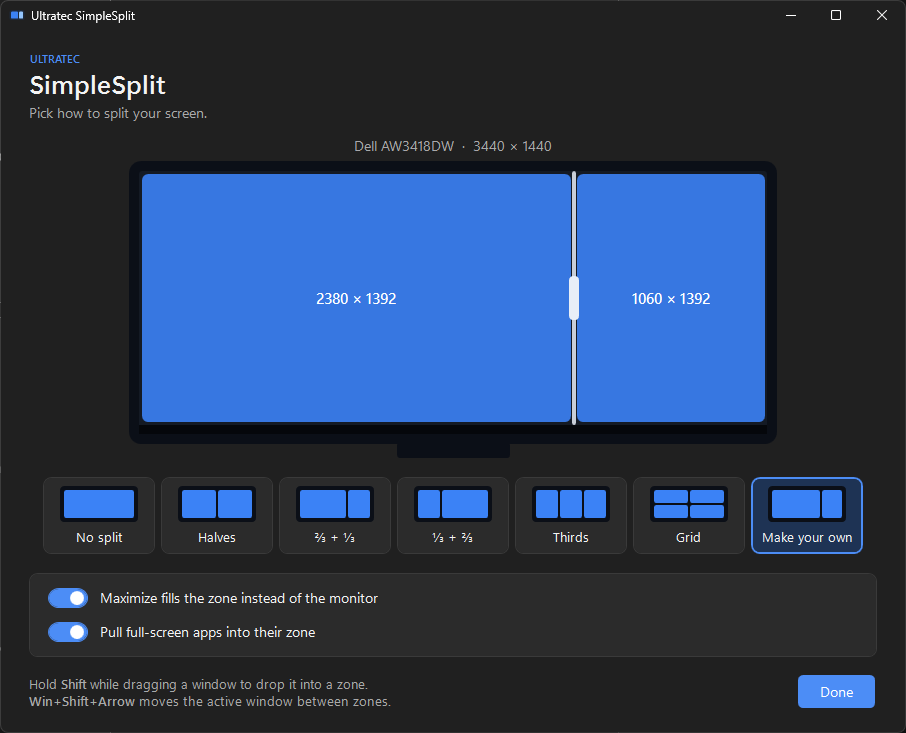
Choose halves, thirds, ⅔ + ⅓ or a grid for each monitor, or drag your own lines. Every window you maximize after that fills its zone.
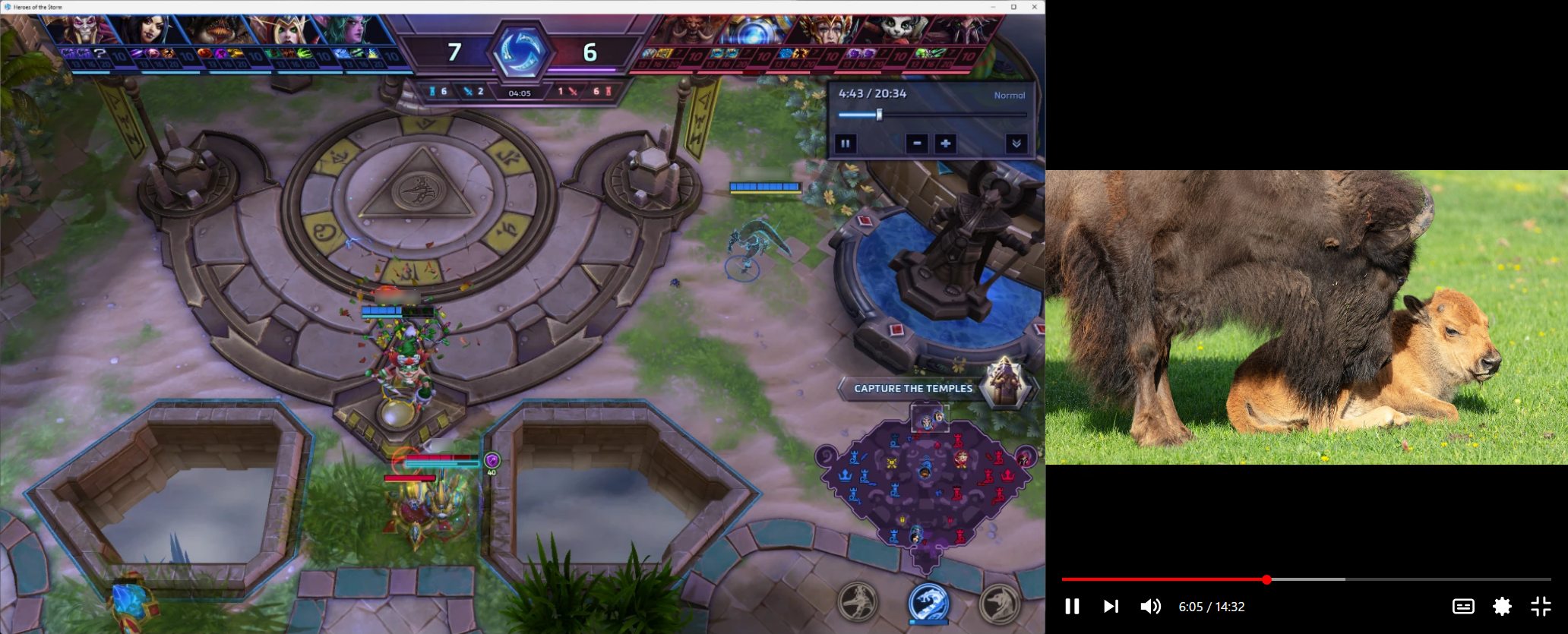
A game on one side. A video on the other.
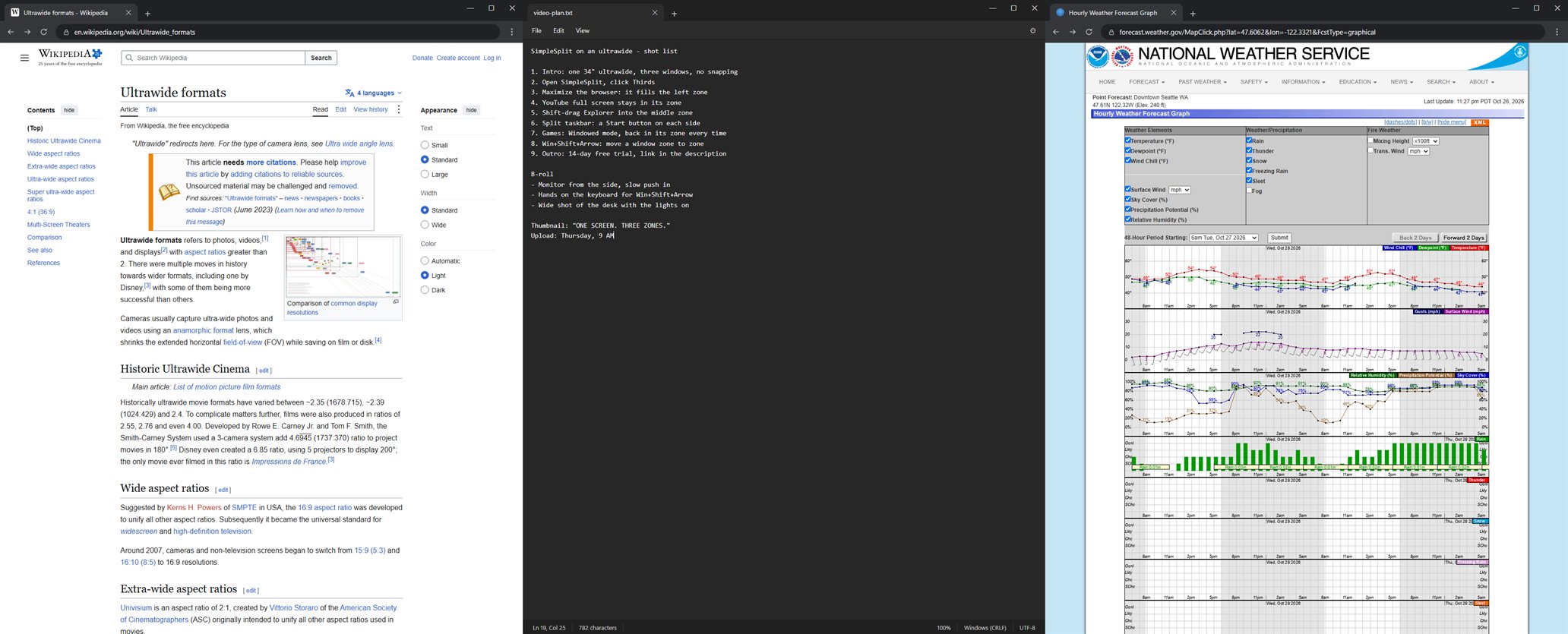
Three zones. Three jobs.
Set up in a minute.
Try everything free for 14 days. No account, no card.
Install it.
Run the installer. It needs no admin rights. Until the installer is code-signed, your browser may say it isn’t commonly downloaded: choose Keep. If Windows then blocks it, right-click the installer, choose Properties, tick Unblock and click OK, then run it again.
Pick your split.
Click a layout for each monitor, or Make your own and drag the lines. Then maximize a window and watch it land in its zone.
After the trial, paste your key from the purchase email into SimpleSplit’s Settings. Moving to a new PC? Click Deactivate this PC on the old one first. Activating needs the internet once; after that SimpleSplit checks the key about once a week and keeps working offline for up to 30 days.
Good questions.
Need something else? Ask Jesse ↗
Which Windows do I need?
SimpleSplit is made for 64-bit Windows 11. It works with any monitor and any number of them, and shines on ultrawides.
Does it work with more than one monitor?
Yes. Each monitor gets its own split: pick a monitor at the top of the SimpleSplit window, then its layout. Win+Shift+Arrow moves a window from zone to zone, onto the next monitor too, and the split taskbar works on each one. Unplug a monitor and plug it back in, and its split comes back.
What happens after the free trial?
SimpleSplit pauses until it has a license key: it stops moving windows, and the split taskbar turns off. Your layouts and settings are kept, so everything picks up again the moment you activate a key.
How many PCs can I use it on?
Two at a time with one key. To move it, open Settings on the old PC and click Deactivate this PC, then activate the key on the new one. If a PC is gone for good, email Jesse.
Does it need the internet?
Only to activate your key. After that it checks the key about once a week and keeps working offline for up to 30 days.
Why do Chrome and Edge need an extension?
Chrome and Edge make their own full screen cover the whole monitor, so clicks on a video’s controls would land in the wrong place. The free SimpleSplit extension keeps a video’s full screen inside its zone, with clicks landing where you aim. It talks only to SimpleSplit on your PC. Firefox needs nothing.
Does it work with games?
Windowed mode works best: put the game in a zone once and SimpleSplit puts it back there every time it opens. For a sharp picture, set the game’s resolution to its zone’s size. Some games’ Borderless mode insists on the whole screen, and exclusive Fullscreen can’t be split, so SimpleSplit leaves those alone.
I use DisplayFusion or FancyZones.
Turn their window splitting or snapping off before you start SimpleSplit. Two tools moving the same window fight each other.
When can I buy it?
Sales are opening soon. The price and secure checkout will appear at the top of this page.